
Fixing the Mail Queue Bug in SMF 2.1.5 and 2.1.6
The Problem
After upgrading your Simple Machines Forum (SMF) to version 2.1.5 or 2.1.6, you may have noticed that emails are getting stuck in the mail queue and never sending. This affects:
- Registration confirmation emails
- Password reset emails
- Topic notifications
- Private message notifications
- Forum newsletters
When you check Admin → Maintenance → Mail → Browse Queue, emails just sit there. Clicking “Send Mail Queue Now” does nothing. There are no error messages in your error log, making this bug particularly frustrating to troubleshoot.
Why This Happens
This is a confirmed bug in SMF 2.1.5 and 2.1.6 related to the mail queue priority and retry logic. The SMF development team has identified and fixed this issue on GitHub (Pull Request #8716), but the fix hasn’t been released in an official patch yet.
The Solution
I spent an entire day troubleshooting this issue on two of our forums. Copying and pasting the code in from GitHub created site errors for me. Not because of anything they did, because it’s all too easy to have a missing curly bracket here or there, or an extra one, or a space in the wrong place. And that will break your site.
So after an evening and a morning swearing, and GPT making a balls of the code a few times, I eventually subscribed to Claude and got it right. So, for fellow SMF forum owners who are having the same issue, I’m sharing the fixed file here to save you the same headache I had.
Before You Begin
IMPORTANT: Always back up your files before making any changes!
- Download your current
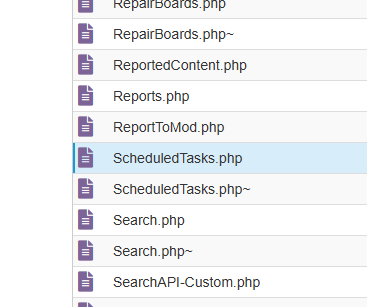
/Sources/ScheduledTasks.phpfile via FTP or your hosting control panel - Save it somewhere safe (name it something like
ScheduledTasks-BACKUP.php) - If something goes wrong, you can restore this backup
Installation Instructions
- Download the fixed file using the link below
- Unzip the downloaded file to extract
ScheduledTasks.php - Upload it to
/Sources/ScheduledTasks.phpon your server, overwriting the existing file - That’s it! Your mail queue should start processing immediately
Download the Fixed File
📥 Download SMF 2.1.5/2.1.6 Mail Queue Fix
File Details:
- Compatible with: SMF 2.1.5 and 2.1.6
- Fix implements: GitHub Pull Request #8716
- File location:
/Sources/ScheduledTasks.php - File format: ZIP archive containing the fixed PHP file
Verifying the Fix
After uploading the fixed file:
- Go to Admin → Maintenance → Mail → Browse Queue
- Check if emails are being sent
- Try sending a test email using the newsletter function (“test email” will work anyway as its not subject to the queue)
- Monitor your error log for any issues
If you still see problems, restore your backup and ask Claude or GPT what is wrong with it. But this is fine on both my 2.1.6 forums. This fix will be implemented when SMF 2.1.7 comes along, and this file will be overwritten with the new one that contains the same fix.
About Mail Throttling Settings
This fix does not change your mail throttling settings. If you send newsletters to thousands of members, it will still take time based on your configured limits in:
Admin → Maintenance → Mail → Settings
Recommended throttling settings depend on your hosting:
- Shared hosting: 5-10 emails per minute (conservative and safe)
- VPS or multiple sites on one IP: 5 emails per minute (protects IP reputation)
- Dedicated server: 15-20 emails per minute (or check your host’s limits)
Being conservative with these settings protects your server’s IP reputation and prevents being flagged as spam, especially if you host multiple websites on the same IP address.
Important Notes
- This fix is based on the official SMF development team’s solution from GitHub
- It will likely be included in SMF 2.1.7 when released
- The fix only addresses the mail queue bug; your existing mail settings remain unchanged
- Always test on a development/staging site first if possible
Credits
Disclaimer
While this fix has been tested on two of my own sites, and implements the official SMF development team’s solution, always back up your files before making changes. I am not responsible for any issues that may occur. Use at your own risk.
If you experience problems after applying this fix, restore your backup file so your site works again, and seek help from your SMF developer, Claude, Chat GPT, or the SMF forums.
Did this fix help you? Please share this article with other SMF forum administrators who might be experiencing the same issue. It took me an entire day to figure this out – hopefully, I can save you that time!
Questions, thanks or issues? Leave a comment below, and I’ll try to help.
Find the author on X here.
Thank you, this saved me a lot of headaches — I had a bunch of mails idling for 24hrs+ in the queue. Placed the modded file in my 2.1.6 install and – wosh – all mails delivered. 🙏
Glad it worked!
That’s crazy… I thought there’s something wrong with how I set up stuff, only to find out it’s a bug within forum software itself. Thank you!